Debrief
v3.2.0
Version 3.2 makes your meetings yours to edit and organize. Fix a stray word in a summary or transcript, jot notes as you go, tag and find meetings in seconds, and teach MeetingDebrief the names and jargon it keeps getting wrong.
Highlights
Edit your summaries and transcripts
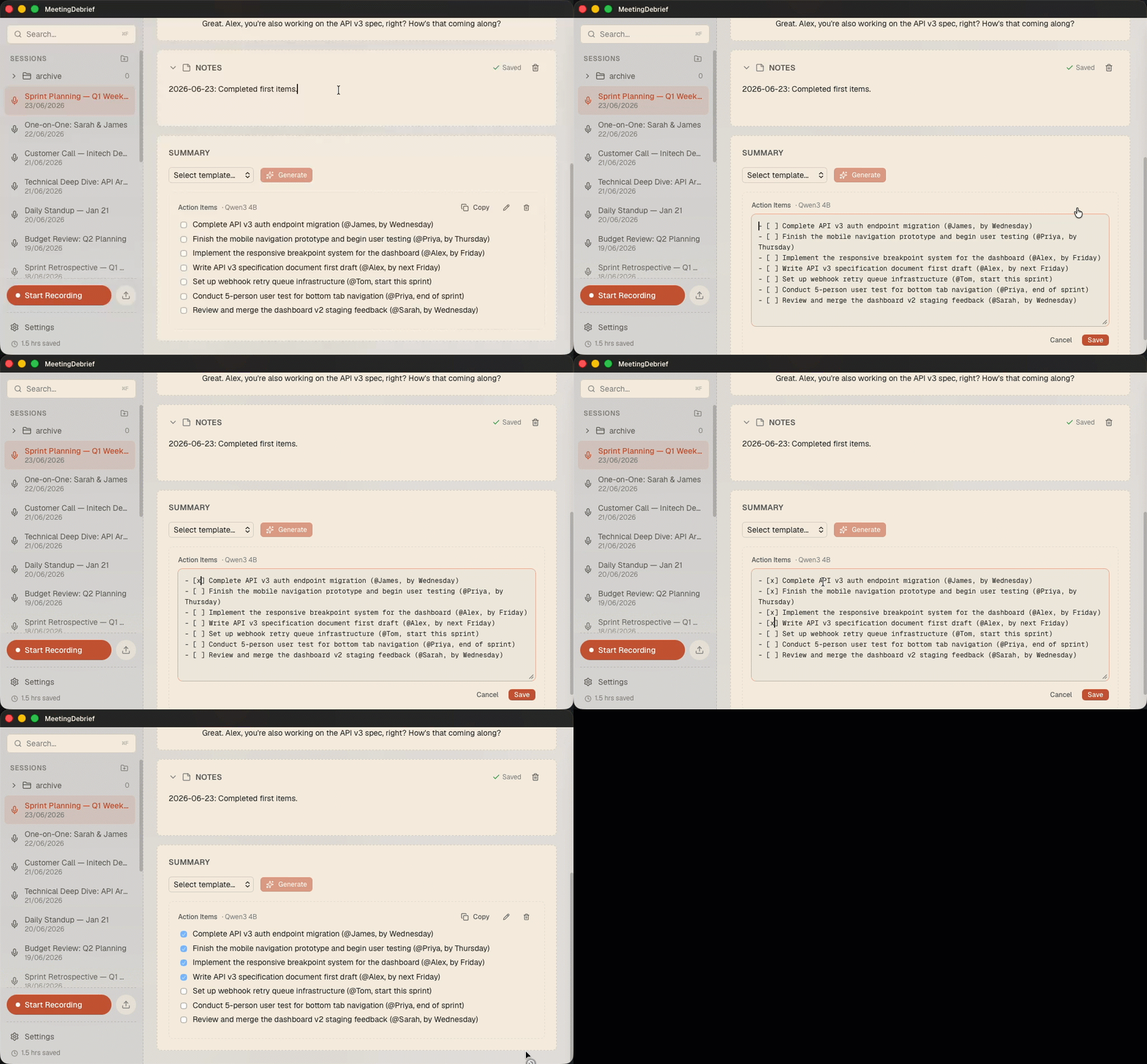
Auto-generated text isn't always perfect. Now you can fix it. Hover any summary or transcript line and edit it in place — correct a misheard word, tidy a heading, or rewrite a sentence. Your edits are saved, picked up by search, and written through to the on-disk Markdown mirror, so the corrected version is the one you'll find later and the one your other tools see.
Notes for every meeting
Add your own notes to any recording — agenda, follow-ups, the thing you didn't want to forget. Notes are fully searchable alongside your transcripts and summaries, and they're included as context when you chat with a meeting, so the assistant answers with what you wrote, not just what was said.
Tag and find your meetings
Give meetings free-form tags — standup, client-acme, 1on1 - anything you want. Tags show up in the session header, and you can search for them with tag: filters: tag:standup, or combine them with and/or to narrow things down. Search a tag on its own to pull up whole meetings, or pair it with a phrase to scope your search to just those meetings.

Teach it your vocabulary
Names, acronyms, product names, and jargon are exactly what local speech models tend to mangle. The new word-replacement dictionary lets you fix that once and for all: add the misspelling and the correction, and MeetingDebrief applies it automatically. No more correcting "Kubernetes" or your coworker's name in every single meeting.
Other improvements & fixes
- FIXED: Recordings could finish with no transcript when a stretch of silence followed speech, leaving the speech detector to hand the local model an empty buffer and fail the whole recording. This is fixed.