Best AI Note Taking App for Confidential Client Calls: A Buyer’s Checklist
Screen AI meeting recorders by data flow, then compare the tools that pass using a fictional client-call script, scoring worksheet and workflow cost checklist.
Martijn Smit 11 min read
Best AI note taking app for confidential client calls: a buyer’s checklist
The best AI note taking app for confidential client calls must meet your data-handling requirements before summary quality or price matters. If a client agreement rules out unapproved processors, a polished summary won’t make an unacceptable upload acceptable.
Trace the conversation from captured audio to saved notes and follow-up questions. Exclude tools whose data flows you cannot approve or verify, then compare the remaining options using fictional content on your own equipment.
Choose a meeting recorder, not a general-purpose notes app
Your shortlist depends on whether cloud processing is permitted and whether an additional participant may join the call.
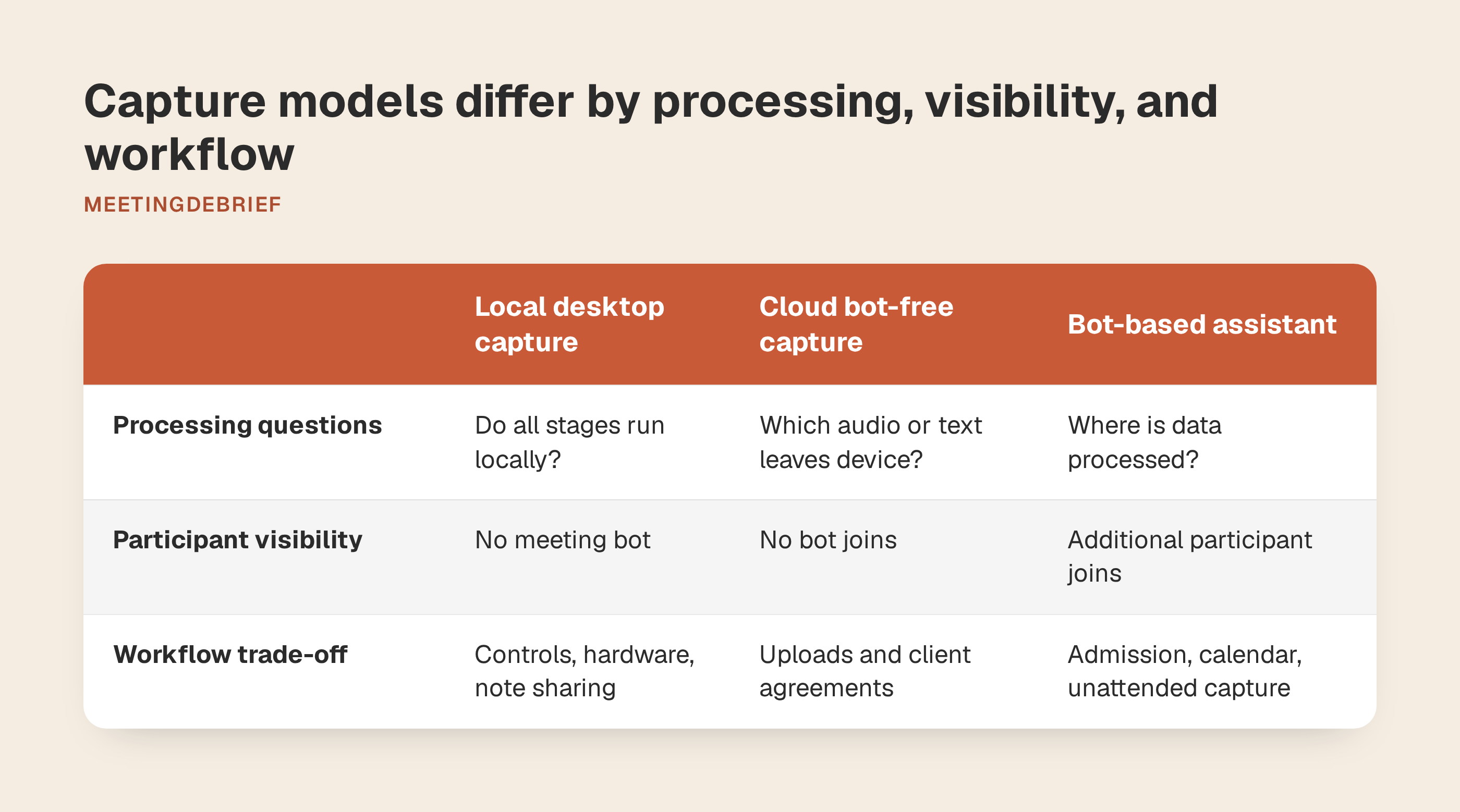
| Capture model | Data-flow questions | Participant visibility | Workflow trade-off to check |
|---|---|---|---|
| Local desktop capture | Do transcription, summaries and follow-up questions all run locally, or does any stage use a server? | Captures audio on your computer without a meeting bot. | Recording controls, hardware needs and sharing selected notes. |
| Cloud bot-free capture | Which audio or text leaves the device, and which services process it? | No bot joins, but content can still reach a cloud processor. | Upload requirements and whether cloud sharing fits client agreements. |
| Bot-based assistant | What does the bot collect, where is it processed, and who gets access? | An additional participant joins the meeting. | Admission requirements, calendar access and unattended capture. |
Bot-free describes capture, not processing location. An app can record from your desktop, then upload audio for transcription or send the transcript elsewhere for summarization. Local transcription alone does not establish that later steps stay local. These capture models are starting points for questions, not privacy ratings.
This guide covers software that turns client conversations into transcripts and summaries. Evaluate plain note-taking apps separately for editing and organization, lecture tools for long sessions and classroom audio, and knowledge bases separately for access control and shared ownership.
Follow every artifact from capture through deletion
Ask vendors to complete this questionnaire for your intended configuration. Keep audio, transcripts, summaries, questions and answers separate. Diagnostics and account or license data need their own answers: a promise about meeting content may not cover them.
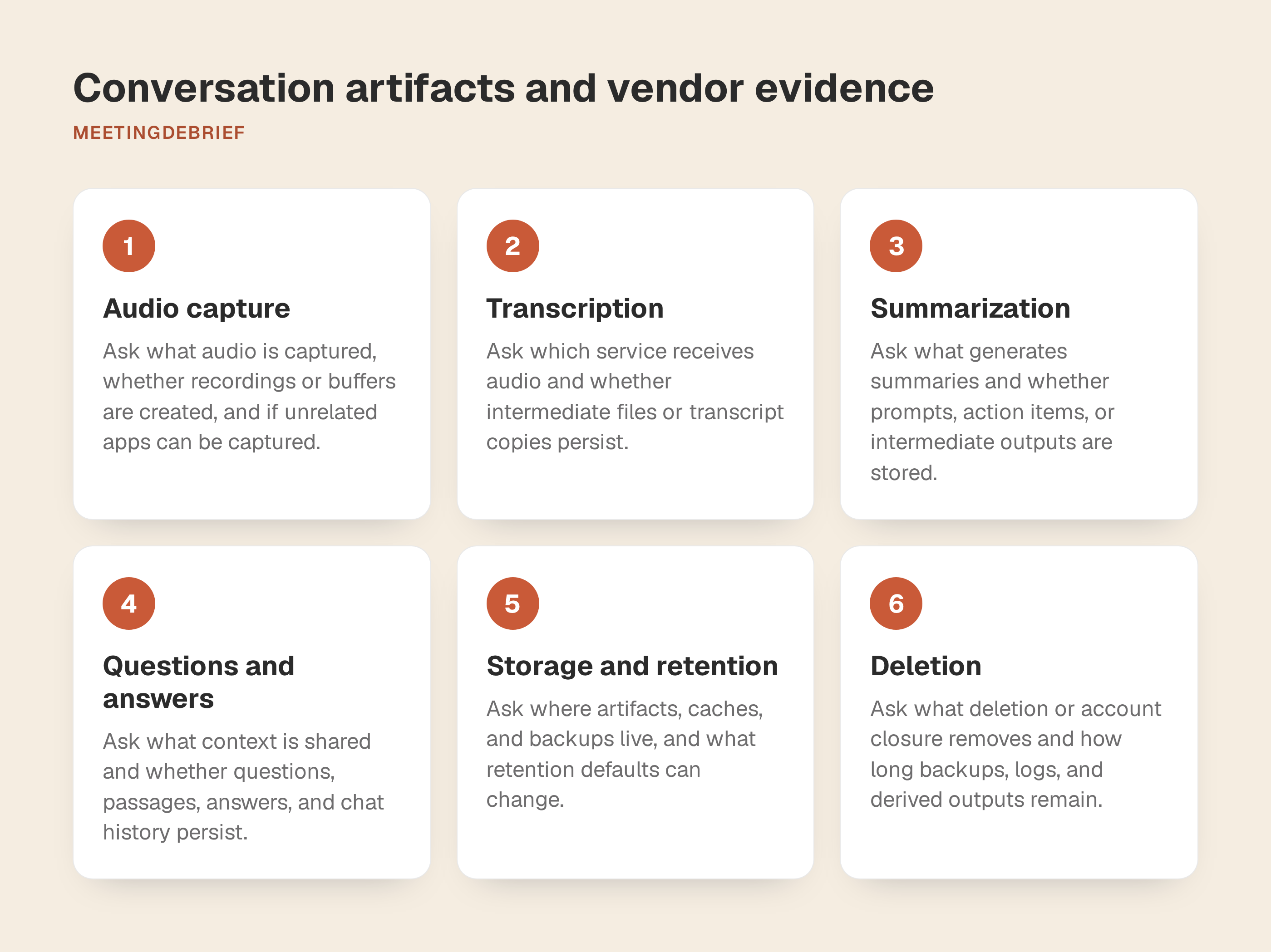
For every row, request what data is created, where it is processed and stored, who can access it, how long it remains, and the supporting document or contractual clause. Record the document’s date and any exceptions for your plan.
| Stage | Questions to send the vendor |
|---|---|
| Audio capture | Does the app capture microphone audio, system audio or both? Does it create temporary buffers or saved recordings? Can it capture unrelated apps? |
| Transcription | Which service or model receives audio? Are intermediate files or transcript copies retained afterward? |
| Summarization | What receives the transcript and generates the summary? Are prompts, extracted action items or intermediate outputs stored separately? |
| Questions and answers | What context accompanies each question? Are questions, retrieved passages, answers and chat history retained? Who can access them? |
| Storage and retention | Where does each artifact live, including caches and backups? What retention defaults apply, and can you change them? |
| Deletion | What does deleting a meeting remove? What remains in backups, logs or derived outputs, for how long? What happens after uninstalling or closing an account? |
| Model training | Can audio, text, questions or answers train or improve models? Does the answer cover every provider? Is any exclusion contractual or optional? |
| Telemetry and diagnostics | What is sent automatically versus after user approval? Can logs or crash reports contain meeting content? What account, license and device information is collected? |
| Subprocessors | Which third parties receive each data type, for what purpose and in which locations? How are changes communicated? |
A retention answer for recordings does not settle what happens to chat history. If contracts and help pages describe different behavior, request written clarification.
MeetingDebrief’s documentation describes sessions containing audio, a transcript, summaries and notes, with recording, transcription, summaries and chat processed on-device. Its privacy policy states that audio stays on the computer and no automatic analytics or telemetry are collected. Voluntary feedback and optional diagnostics are separate; confirm their scope too.
Separate call visibility from network activity
Review network access during installation, model downloads, license validation, update checks and optional feedback, not just recording. For each event, request the destination, data sent, trigger and whether it can be disabled. Confirm whether a bot joins, recording starts manually or calendar access is required.
Use fictional content for a controlled review:
- Get expected behavior in writing. Distinguish setup traffic, routine connections and user-triggered submissions. Include behavior when license or update services are unreachable.
- Agree on an observation method. Involve IT or security where available. Use approved tools without capturing unrelated client traffic. Record the app version and configuration.
- Exercise the workflow. Observe setup separately from normal use. Record a synthetic call, generate its transcript and summary, then ask a question. Check startup, idle behavior and updates. Test optional feedback separately if you intend to use it.
- Resolve discrepancies. Ask about unexpected destinations or timing. Connection logs may not reveal what was transmitted.
After setup, disconnect and repeat the recording-to-answer workflow. Success shows those tasks worked offline in that configuration. It does not prove the app never connects online, never queues data for later transmission or behaves identically after updates.
MeetingDebrief’s documentation says models download during setup, after which recording, transcription, summaries and chat work offline. Its site describes user-started microphone and system-audio capture that works with Zoom, Google Meet and Microsoft Teams without a bot or calendar connection. Test capture on your own equipment. Optional feedback can include diagnostics, but excludes recordings, transcripts, summaries and notes.
Public docs cover the categories of network use, not every endpoint. They say the app goes online for license activation, periodic update checks and user-sent feedback. The feedback form in Settings → Feedback can be sent without the optional diagnostics bundle, and Save a copy to review lets you inspect that bundle locally first. If your approval process needs destination-level allowlists or proof about whether update checks can be disabled, request that detail from the vendor before rollout.
Local capture does not remove consent obligations or client restrictions. MeetingDebrief’s terms place responsibility for required consent and securing locally stored recordings on the user.
Test note quality with a synthetic client call
Use your actual meeting platform, microphone, headphones and computer. Recruit two colleagues to read the remote parts. Keep the wording unchanged across tools, and record audio dropouts separately from transcription errors.
Read this fictional script
All names, figures and project details below are invented.
You: “For Project Alder, the ETL pipeline must preserve the customer UUID during backfill. The reconciliation tolerance is 0.5 percent.”
Alex: “Let’s approve a £40,000 budget and deploy on 12 November 2026.”
Morgan: “I’ll send the reconciliation report to Alex by 3 p.m. on 10 November 2026.”
You: “Someone should check the rollback runbook before deployment.”
Alex: “Correction to my earlier proposal: the approved budget is £35,000, not £40,000. Deployment moves to 19 November 2026. The report deadline stays unchanged.”
Morgan: “Agreed on the revised budget and deployment date. We haven’t assigned the runbook check yet.”
Save the script as your answer key. The transcript should retain the original proposal and correction. The summary should report £35,000 and 19 November as the final decision, not treat the superseded proposal as a second approval.
Score against the answer key
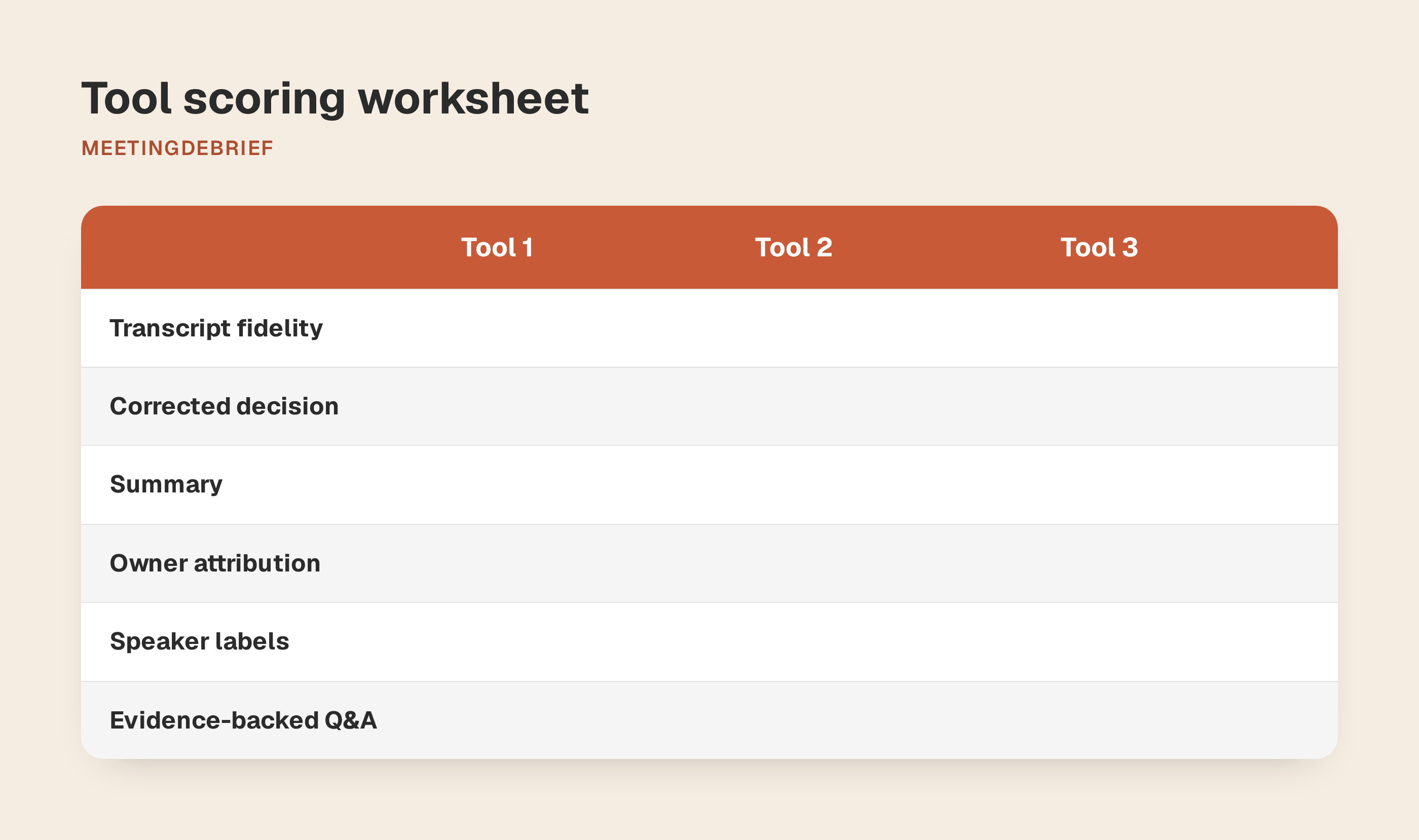
Use 0 for wrong or missing, 1 for partly correct or requiring repair, and 2 for correct without repair. Keep an example beside each score.
| Criterion | What earns full marks |
|---|---|
| Transcript fidelity | Preserves ETL, UUID, the tolerance, amounts and dates, including the correction. |
| Summary accuracy | Reports the revised decision and unchanged report deadline without adding commitments. |
| Action attribution | Assigns the report to Morgan, with Alex as recipient; leaves the runbook owner unassigned. |
| Speaker-label usefulness | Labels turns consistently enough to identify commitments; makes any inability to distinguish remote speakers clear. |
| Evidence-backed Q&A | Correctly answers “What budget was approved?”, “Who owns the runbook check?” and “When is the report due?”, citing supporting passages or timestamps. |
Open cited evidence and listen. A timestamp is insufficient if the passage contradicts the answer. Record invented owners and superseded decisions explicitly, even when the total score looks good.
MeetingDebrief’s speaker labels are Me and Other, not separate names for every participant. Check whether grouping Alex and Morgan as Other leaves attribution usable. Its meeting chat generates timestamp-cited answers locally; test answer accuracy and citation support separately.
Price the workflow, including daily friction
Compare costs for your expected devices and meeting volume. Separate the first year from subsequent years: one-time licenses and recurring plans distribute costs differently. Include hardware purchases needed to run local models; operating-system support does not establish that your computer is adequate.
| Cost or constraint | Record for each candidate |
|---|---|
| Trial and free plan | Duration; recording, transcription and summary caps; import restrictions; behavior when limits are reached. |
| Payment | Current price, billing period, renewal terms and included updates. |
| Devices | Number covered, additional-device costs and computer-replacement rules. |
| Hardware | Required memory, model storage, supported acceleration and processing time on your machine. |
| Daily operation | Manual-start burden, calendar permissions, offline availability and recovery from a missed recording. |
| Moving and sharing notes | Export formats, device transfer, mobile access, sharing permissions and shared-workspace requirements. |
This guide does not rank apps by cost.
MeetingDebrief offers a seven-day trial with every feature, with no account or card, and a one-time license priced per computer. Current pricing is typically $18 or €18 per computer, localized by region. Buyers choose the number of devices at checkout, from 1 to 10, and receive one license key with that many activation slots. The trial starts the first time you open the app and unlocks the same app as the paid license. System requirements are macOS 13 Ventura or later, or Windows 11 or later, with 8 GB RAM minimum, 16 GB recommended, and 4 GB free disk space.
Verify current pricing, trial terms and hardware fit before purchasing. MeetingDebrief supports Markdown export, but confirm that the exported content meets your handoff needs.
MeetingDebrief writes transcripts and summaries to local Markdown files via Session Mirror, and audio files remain stored locally as part of each session. You can move a license activation by removing it from a computer in Settings or deactivating a device from the account dashboard, then activating the key on another machine. It is a desktop app for macOS and Windows only; the public docs do not list a mobile or web version. Public docs focus on local files, not in-app shared workspaces, so confirm your handoff process before standardizing on it.
Account for the manual work. Local individual storage can mean preparing and distributing selected notes yourself. User-started recording means remembering each call; it cannot recover a conversation you missed. If unattended auto-join, shared workspaces or simultaneous editing are mandatory, make them purchase requirements rather than workarounds to improvise later.
Fail the data gates first, then score the shortlist
Before installation, screen each candidate’s documentation against the mandatory gates. Mark each pass, fail or unresolved, with linked evidence. Reject failures; obtain permission for a controlled evaluation using fictional content to resolve remaining uncertainties, including network and offline behavior. Permission to evaluate is not approval to record client calls: every gate must pass before real client data is permitted.
| Mandatory gate | Pass condition |
|---|---|
| Processing location | Every processing stage meets your client’s data-location requirements. |
| Retention and deletion | Documented behavior meets your obligations for every artifact. |
| Training use | Terms meet your restrictions across all involved providers. |
| Network behavior | Required connections are explained and acceptable to whoever approves the tool. |
| Participant visibility | The capture method is permitted for your calls. |
| Consent process | You can obtain and record required permission. |
Score only tools that pass every gate. Set weights before comparing results so an attractive feature doesn’t change your priorities halfway through.
| Scored criterion | Example weight | Evidence |
|---|---|---|
| Note quality | 40% | Synthetic-call scores and recorded errors |
| Setup friction | 15% | Setup time and recurring manual steps |
| Platform fit | 15% | Successful capture and processing on your equipment |
| Cost | 15% | Complete cost sheet for your devices |
| Collaboration fit | 15% | Successful handoff to the people who need notes |
Use a 0-5 scale: divide the synthetic-call note-quality total out of 10 by two. For each other criterion, define your minimum requirement and preferred target before scoring, including a maximum budget for cost. Score 0 if it fails the minimum, 3 if it meets the minimum with acceptable compromises, and 5 if it meets the preferred target. Multiply each score by its weight and add the results. Keep the supporting evidence next to each score. For close totals, examine the failures rather than treating a small numerical difference as decisive.
MeetingDebrief fit check
This guide is published by MeetingDebrief. Consider it if on-device processing and manually started recording meet your requirements. Exclude it if automatic joining is mandatory. If shared cloud workspaces or real-time collaboration are mandatory, obtain confirmation that MeetingDebrief supports the capabilities you need before shortlisting it.
Save the approved version and configuration with your decision record, and set a review date. Reassess before enabling integrations or changing where notes are stored, since either could introduce a new data flow.
Verify the current trial terms. If MeetingDebrief fits, download the seven-day trial and run the synthetic-call checklist before recording a real client.