Which AI Note Taker Can Pass a No-Cloud Procurement Review?
Separate bot-free capture from local processing and offline deployment. Get an evidence matrix, network worksheet and synthetic Teams pilot for procurement.
Martijn Smit 11 min read
Which AI note taker can pass a no-cloud procurement review?
IT has rejected your cloud meeting assistant: meeting content cannot leave the managed computer, bots are prohibited, and installation may have to work behind a corporate firewall. A replacement AI note taker needs evidence for all three restrictions before its summaries are worth comparing.
“Bot-free” describes capture, not processing. A tool can avoid joining the call yet send the recording elsewhere for transcription. A local transcript is insufficient if generating the summary sends that text to an external service.
MeetingDebrief documents on-device processing and bot-free capture, but deployment questions remain unresolved. The available evidence also does not establish two equally documented alternatives. Treat this as a procurement framework, not a ranking.
A no-cloud rule creates three separate gates
Turn IT’s rejection into written acceptance criteria. Ask which restrictions are non-negotiable and what evidence would satisfy each. Keep preferences such as searchable history and integrations separate: they cannot compensate for a failed gate.
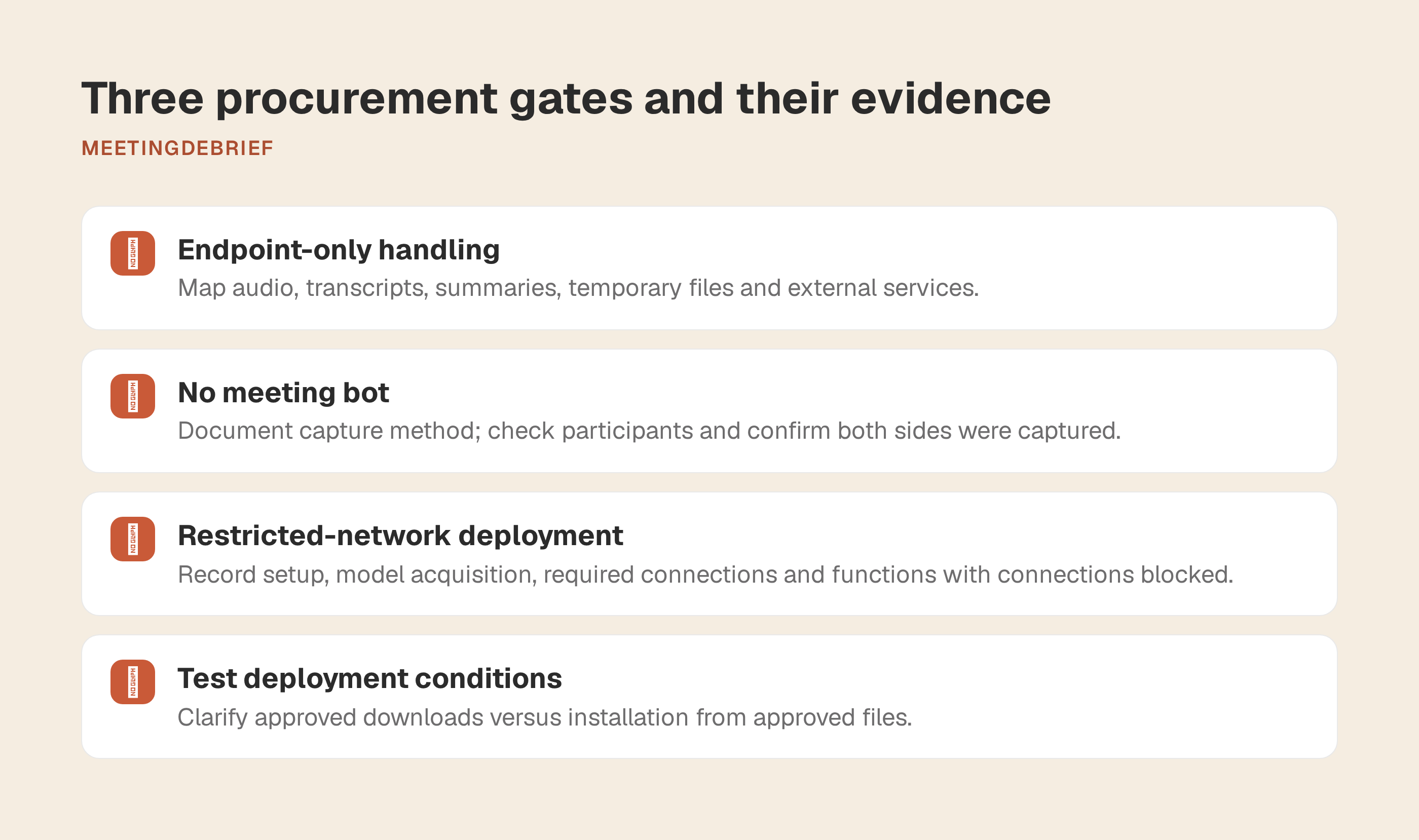
| Gate | Evidence to request |
|---|---|
| Endpoint-only content handling | A processing map covering audio, transcripts, summaries and temporary files, including any external service used at each stage. |
| No meeting bot | A documented capture method, a check of the participant list and confirmation that both sides of the conversation were captured. |
| Restricted-network deployment | Installation and model-acquisition instructions, required connections and a record of which functions work when those connections are blocked. |
Have IT specify whether approved setup downloads are allowed or installation must work entirely from approved files. A disconnected session after online setup does not establish that an application can be deployed on an isolated computer.
Compare candidates on the same managed endpoint using a synthetic Microsoft Teams meeting. Record the operating-system version, audio devices and permitted network access. Keep confidential material out of the evaluation, including imported recordings. Assess note quality only for candidates that remain eligible.
Shortlist status: documented, failed, or still unverified
Use pass when cited evidence supports a requirement, fail when it demonstrates a conflict, and unverified when evidence is insufficient. Qualify each finding as vendor-documented or directly observed on your corporate image. Missing evidence is not a failure.
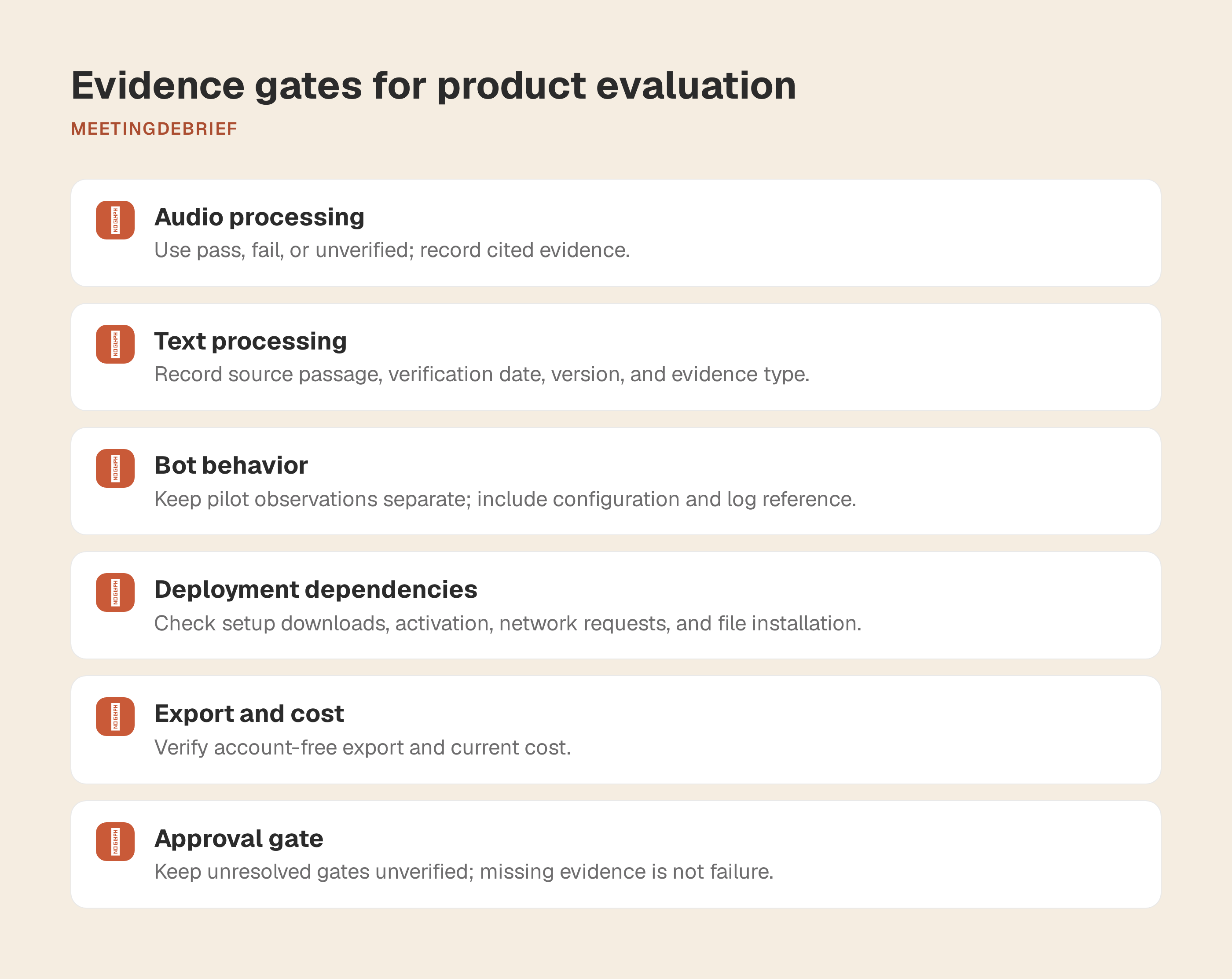
| Candidate | Audio processing location | Text processing location | Bot behavior | Disconnected operation | Supported systems |
|---|---|---|---|---|---|
| MeetingDebrief | Pass, vendor-documented: recording and transcription run on-device [1][2] | Pass, vendor-documented: summaries, chat and dictation run on-device [1][2] | Pass, vendor-documented: captures microphone and system audio without joining the call [3][4] | Pass after setup, vendor-documented: recording, transcription, summarization and dictation work offline; 5.1 also adds install-from-files for blocked networks [1][5] | macOS 13+; Windows 11+ [6] |
Local processing does not settle deployment dependencies:
| Candidate | Setup downloads | Activation | Routine network requests | File-based installation | Export | Current cost |
|---|---|---|---|---|---|---|
| MeetingDebrief | Vendor-documented: initial model download during setup; models can also be imported from files in 5.1 [1][5][7] | Vendor-documented: paid-license activation contacts the license server; the trial requires no account and no credit card [8][9] | Vendor-documented: periodic update checks; feedback sends only when a user submits it; later license revalidation is implied, but its cadence is unverified [7][10] | Pass, vendor-documented: save the download list, fetch files elsewhere, then import from disk with file checks and checksums where available [5] | Pass, vendor-documented: transcripts and summaries are written to local Markdown files, and audio stays local [11] | $18 or local equivalent per computer, one-time purchase [9][12] |
Sources: [1] How MeetingDebrief works; [2] Privacy; [3] Compare; [4] Home; [5] Getting started; [6] Download; [7] The network requests the app makes; [8] License help; [9] Pricing; [10] Refund policy; [11] Sessions documentation; [12] Current pricing fact check from the product knowledge base. These remain vendor statements until you reproduce them on your own managed image.
Give each claim an evidence record containing the source passage, the date you checked it, the application version where available and the evidence type. Keep pilot observations separate, with the tested configuration and log reference. If documentation and observed behavior disagree, retain both and leave the affected gate unresolved.
The current evidence supports MeetingDebrief as an eligible candidate for a synthetic pilot. It does not yet justify blanket approval for every deployment model. If your environment forbids even setup-time downloads from the endpoint, test the 5.1 install-from-files path on the actual image you plan to approve.
MeetingDebrief: the local workflow and its open procurement questions
MeetingDebrief’s documented workflow gives IT a concrete endpoint review.
Capture: Microphone capture supplies your side of a Teams call; system-audio capture supplies the remote participants. On macOS, system-audio capture requires Screen Recording permission. On Windows, the selected output device must match the speaker or headset output used by Teams. Check the resulting recording, not just permissions: a recording containing only your voice fails the meeting-notes requirement even if no bot appeared.
Transcription: A local speech model, Parakeet or Whisper, processes the recording on the device. Hardware requirements are documented on the download page: macOS 13 Ventura or later on Apple Silicon or Intel, or Windows 11 or later on 64-bit hardware, with 8 GB RAM minimum, 16 GB recommended, and 4 GB free disk space. Apple Silicon and NVIDIA CUDA can accelerate processing, but they are not required.
Summarization: A local language model turns the transcript into notes. Trace errors to their source. If the transcript has the correct deadline but the summary changes it, investigate summarization. If the transcript already has the wrong date, investigate transcription first. The terms warn that AI output can contain errors and should be reviewed.
Deployment path: Setup normally downloads the selected speech model, summary model and summarization engine. Since 5.1, blocked networks can use Install from files: save the download list, fetch the files on another computer, then import them from disk. Paid-license activation contacts the license server. Routine network use is documented as update checks, plus feedback only when a user explicitly sends it.
For handoff, MeetingDebrief writes transcripts and summaries to local Markdown files through Session Mirror, and the audio recording stays on disk with the session. That is enough to test an account-free handoff during the 7-day trial, because the trial starts on first launch and needs no account or credit card.
Settle deletion before rollout. You can delete a session permanently in the app, set audio retention in Settings → General → Keep audio files, or remove the application’s data folder to delete local recordings, transcripts, summaries, dictations and settings. If Session Mirror is enabled, remember to delete those Markdown copies too. The terms also note that uninstalling alone does not automatically delete recordings and transcripts.
The remaining procurement questions are narrower now: exact hostnames for model delivery, the cadence of update checks and license revalidation, and whether your endpoint controls treat the local data folder and any Session Mirror folder as approved storage locations.
Two alternatives need evidence before they earn a place
Do not promote placeholders into a shortlist. A transcription utility and a full meeting-notes application solve different parts of the problem, and both still need sourced deployment evidence before procurement can compare them fairly.
This draft does not name a second or third candidate because it does not yet include checked primary documentation for the same no-cloud, no-bot, restricted-network scenario. That is a better outcome than filling the table with marketing claims.
Require the same profile for every alternative before it enters the matrix:
| Profile element | What to establish |
|---|---|
| Best fit | The supported meeting workflow and the manual work the team accepts. |
| Demonstrated gate results | Requirements supported by current primary documentation, with a source for each finding. |
| External dependencies | Required services or connections, when they are used and what happens when blocked. |
| Unresolved questions | Missing evidence that prevents a procurement decision. |
| Practical workaround | Any additional approved tool or human step, including its processing and deployment requirements. |
For a transcription-only candidate, time a specific handoff: a reviewer reads the transcript, writes the decisions and follow-ups, then saves them in the approved records location. If a second application generates the summary, include it in the review. The transcription tool’s architecture says nothing about how another application handles its text.
Compare capture convenience explicitly. A replacement may lack automatic joining or calendar-triggered recording. For manual capture, assign responsibility and test a missed start. Establish whether an approved process can still recover the required record.
Include reviewer time and separately verified software costs, not just the candidate’s purchase price. When an alternative finally has the documentation to qualify, add it to the same matrix instead of loosening the standard.
Give IT a network-surface worksheet, not a privacy slogan
A privacy policy states commitments. An architectural claim describes where processing is designed to happen. Neither establishes every connection an application will attempt on your managed image.
IT needs a lifecycle inventory distinguishing requests carrying meeting content from requests for software, models or licensing. In MeetingDebrief 5.1, feedback sends only when the user submits it. Optional diagnostics include logs, redacted settings, model, device, license and system information, but exclude recordings, transcripts, summaries and notes. Record this user-triggered network use separately. The support for that statement comes from the 5.1 release notes, the troubleshooting help for Settings → Feedback, and the current privacy documentation for network access..
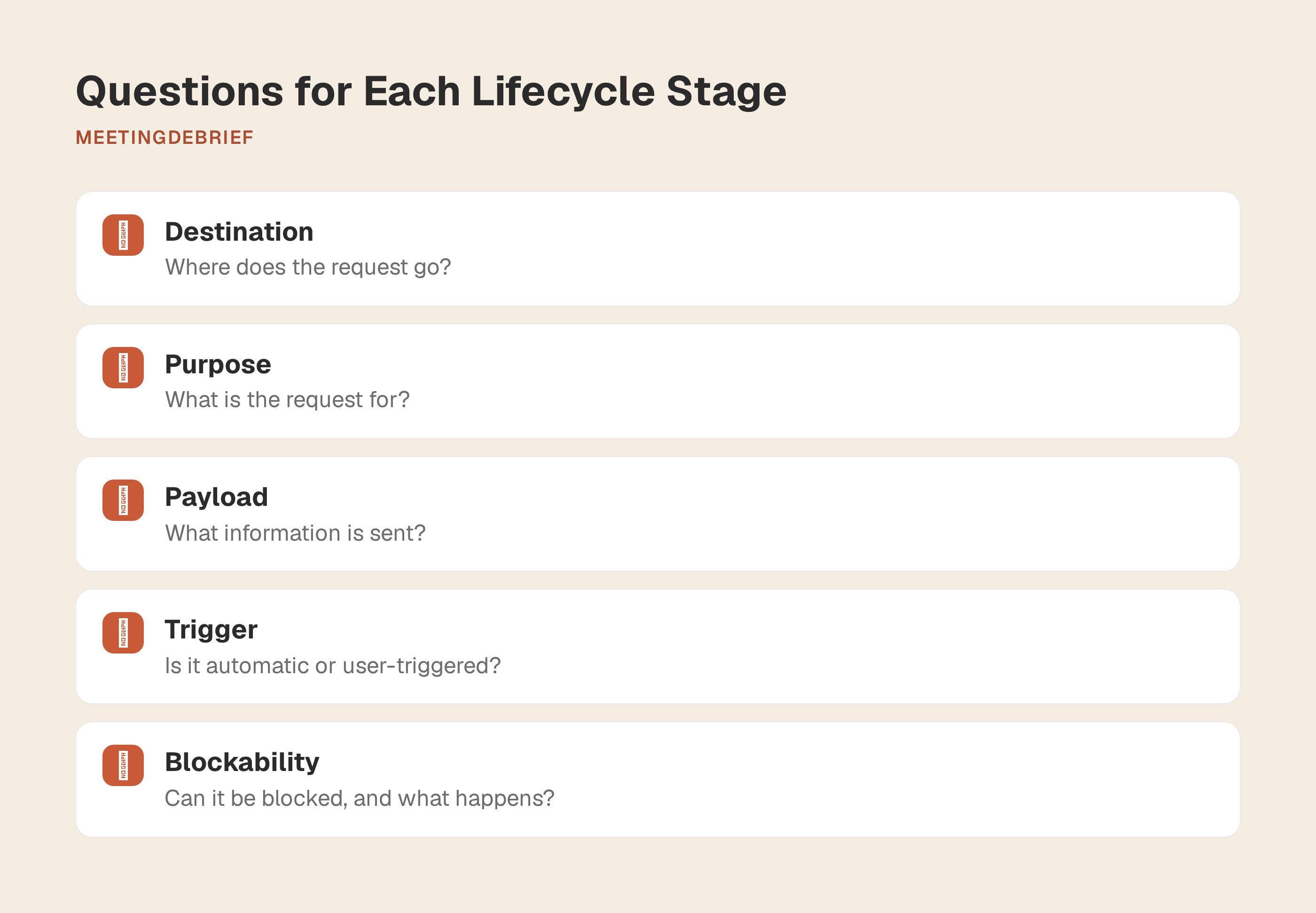
Copy this worksheet for each candidate. Use one row per destination. Blank cells mean unanswered questions, not an absence of network activity.
| Lifecycle stage | Destination | Purpose | Payload sent | Activation condition | Can it be blocked? Consequence? | Evidence source | Verification date |
|---|---|---|---|---|---|---|---|
| Application installation | ___ | ___ | ___ | ___ | ___ | ___ | ___ |
| Model downloads | ___ | ___ | ___ | ___ | ___ | ___ | ___ |
| Activation or licensing | ___ | ___ | ___ | ___ | ___ | ___ | ___ |
| Ordinary recording and processing | ___ | ___ | ___ | ___ | ___ | ___ | ___ |
| Updates | ___ | ___ | ___ | ___ | ___ | ___ | ___ |
| Telemetry or feedback | ___ | ___ | ___ | ___ | ___ | ___ | ___ |
| Optional integrations | ___ | ___ | ___ | ___ | ___ | ___ | ___ |
Distinguish automatic requests from user-triggered actions. For example, establish whether an update check occurs at launch, on a schedule or only when requested. Record the consequence of blocking each request: preventing setup requires a different decision from disabling an optional feature.
MeetingDebrief’s MCP server gives clients such as Claude, Claude Code and Cursor read-only meeting access. Read-only limits modification; it does not determine how a receiving client handles retrieved text. Review that client’s processing path and permitted destinations separately. Keep optional integrations outside baseline capture-and-processing approval unless the team needs them.
Assign owners for controls the worksheet cannot settle:
- Recording policy: consent and participant notification.
- Endpoint access: who can read session files and exported notes.
- Records management: retention schedules and approved export destinations.
- Backup administration: whether session folders are copied elsewhere, including by cloud backup software.
- Decommissioning: removal of stored content when the application or device is retired.
An on-device application can create files that another endpoint service uploads. Include backup and folder-sync behavior in the approval scope.
Pilot on a synthetic Teams meeting before approval
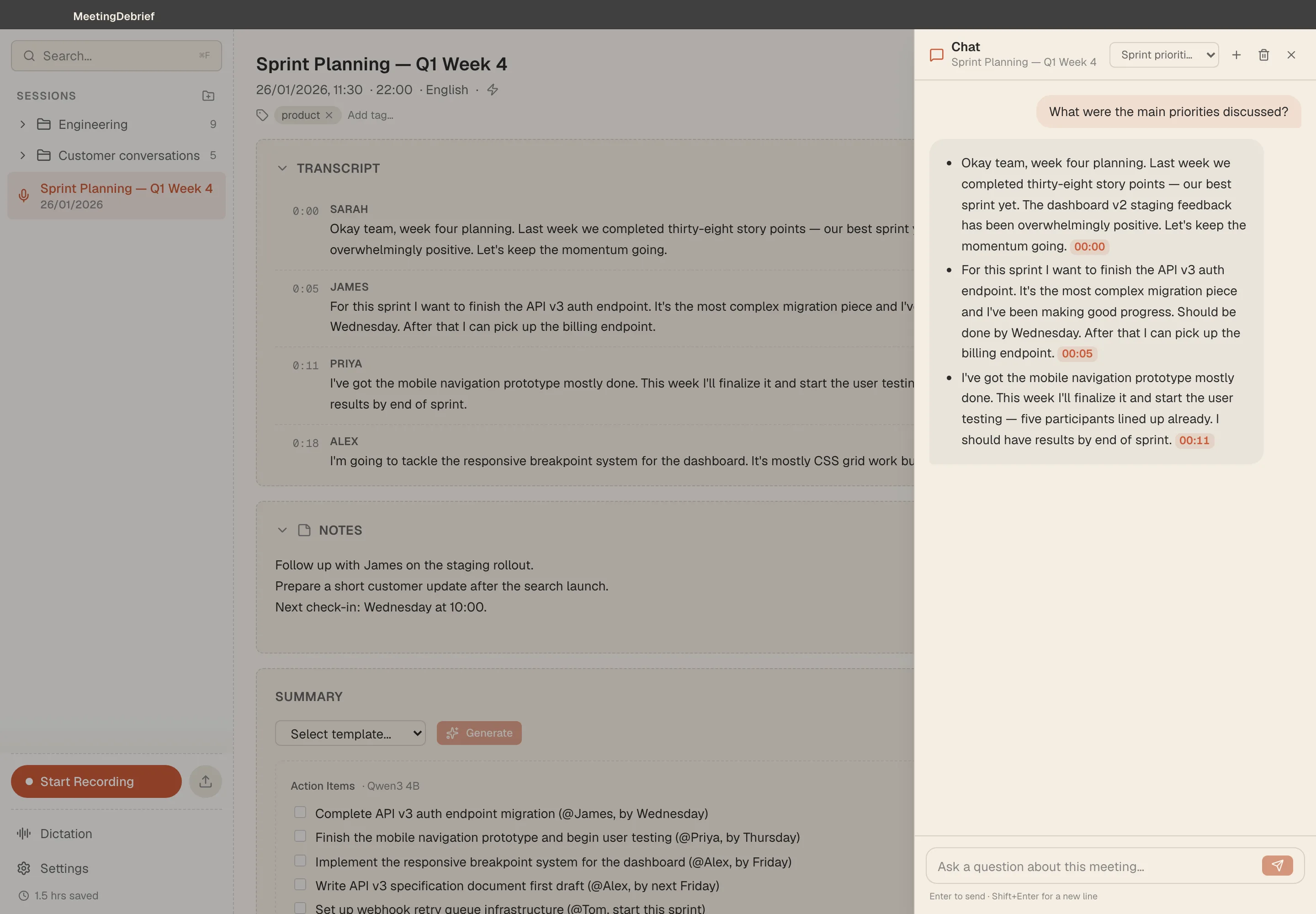
Prepare a short script with two known speakers and invented business details: “We’ve decided to postpone the sample launch. Morgan will send the revised budget by 12 November 2026.” Add an unresolved statement: “The review could be Friday.” The notes should preserve that uncertainty rather than turn it into a commitment.
-
Install under the proposed deployment conditions. Start with an endpoint that has no previously downloaded models. Record the installer source and version, model acquisition, activation prompts and attempted connections. If approved-file installation is mandatory, test that route before allowing internet access. Keep timestamped observations separate from vendor claims.
-
Run the scripted Teams call. Have each speaker deliver assigned lines and start capture through the candidate’s documented method. After the original deadline, have the remote speaker say: “Correction: Morgan will send the revised budget by 16 November 2026, not 12 November.” The transcript should retain the correction; the summary should report 16 November. Keep “The review could be Friday” unresolved. Save the reference script separately from generated output. Have IT observe network activity during capture and subsequent connected transcription and summarization, distinguishing Teams traffic from candidate traffic. Record destinations, observable payload information and inspection limits. Compare these logs and outputs with the disconnected tests below; offline success alone cannot establish endpoint-only handling during connected use.
-
Test disconnected functions individually. A live Teams call depends on connectivity; losing the call is not a note-taker failure. Finish the call, block external network access, then test transcription, summary generation and export of its recording separately. Test disconnected capture with a fresh, locally spoken passage. Record each result, attempted connection and exact failure message. Repeat after restarting the application to check whether success depended on the previous session.
-
Reconcile output with the reference. Check speaker-label consistency, the launch decision, Morgan’s ownership and the deadline. Confirm that the Friday review remains tentative. For each error, retain the source utterance or timestamp, transcript excerpt and generated note. Mark omissions and unsupported additions explicitly. Report concrete findings rather than an accuracy percentage derived from a few lines.
-
Complete the records handoff. Attempt export while disconnected and record any account prompt. Open the exported file to confirm it contains the expected notes, not merely a link back to the application. Inventory synthetic session files, run the proposed deletion procedure and inspect the relevant storage locations again. Record anything left behind, including exported copies.
A quiet network log covers only the version, configuration and actions tested. It cannot prove that no request will ever occur. Give procurement the script, output excerpts and logs alongside a gate-by-gate decision naming unresolved exceptions.
Get a written decision tied to the tested version and configuration. Assign responsibility for reassessment when a model, integration or network requirement changes.
For the synthetic-content evaluation above, obtain the installer from the MeetingDebrief download page. Before starting, note the current terms in your evidence log: the trial lasts 7 days, starts the first time you open the app, and requires no account, credit card or API keys.